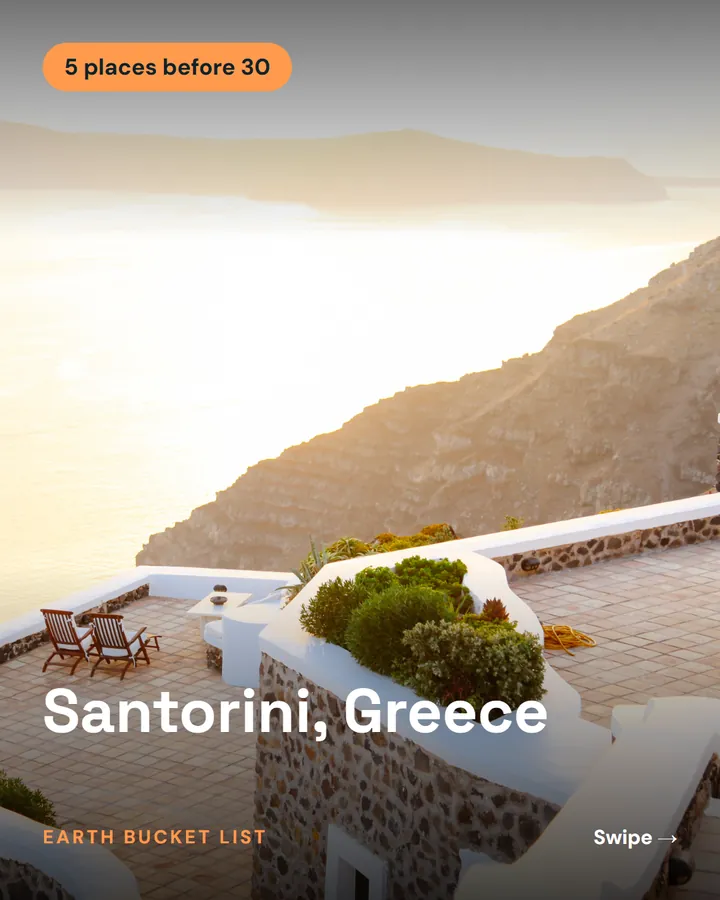
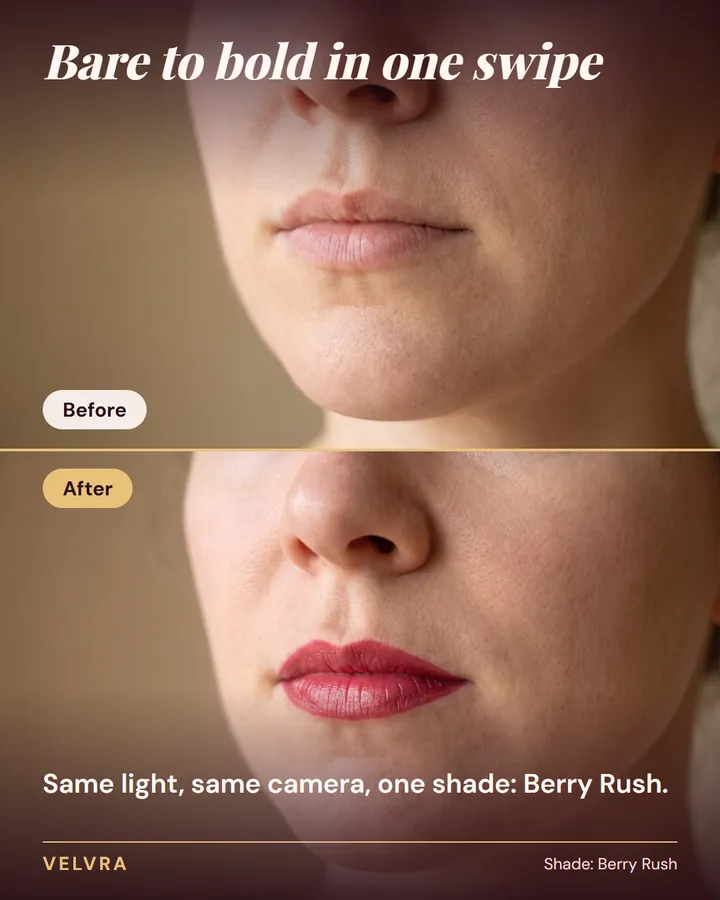
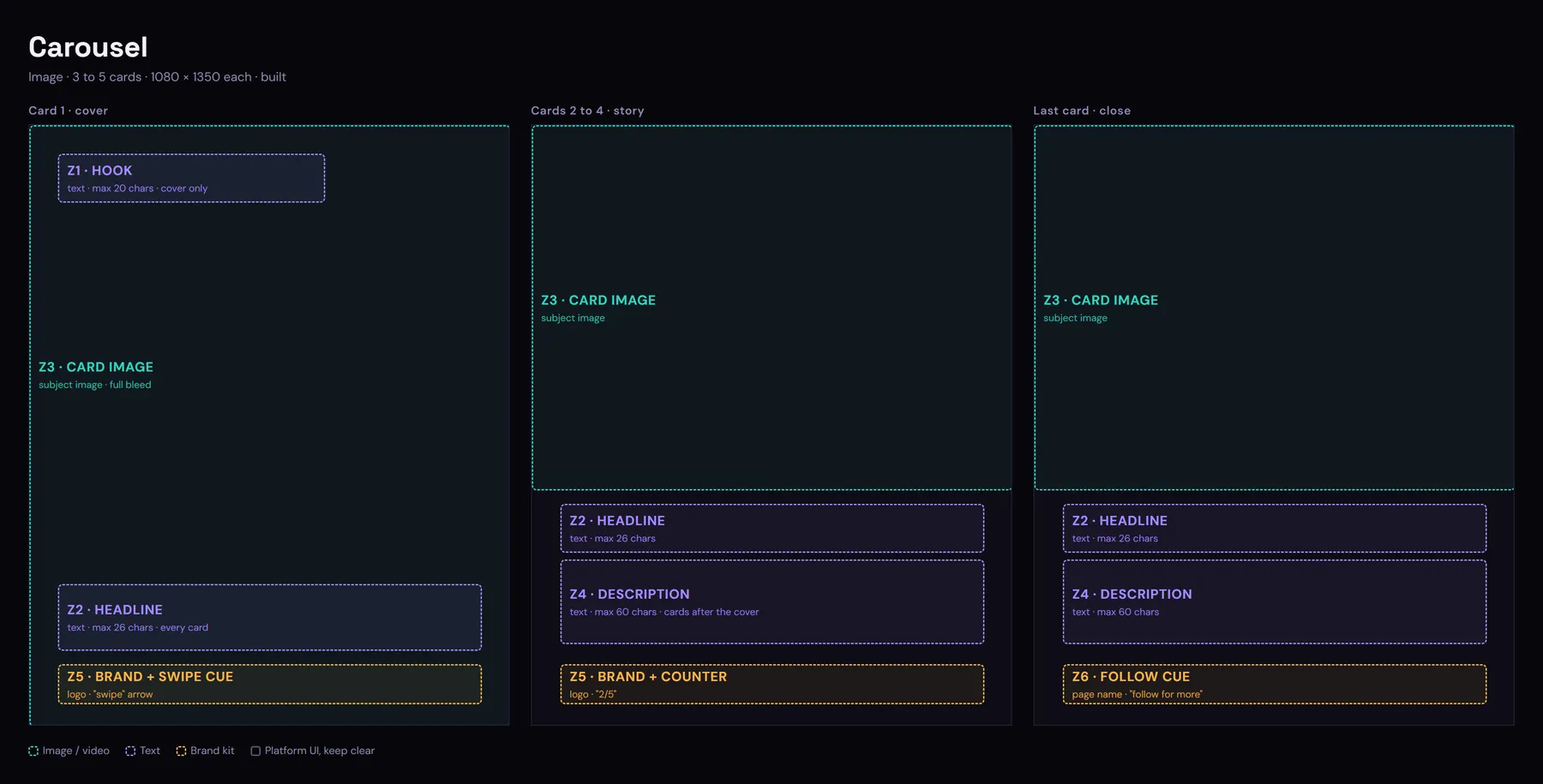
Formats

Six formats and their zones

Every post is rendered into a fixed format: a frame whose zones each have one job, so the image, the words and your brand land in the same place every time. Single Poster, Carousel and Top-5 Countdown render today, and Before / After, Presenter + Captions and Photo Story Slideshow come next.

Samples
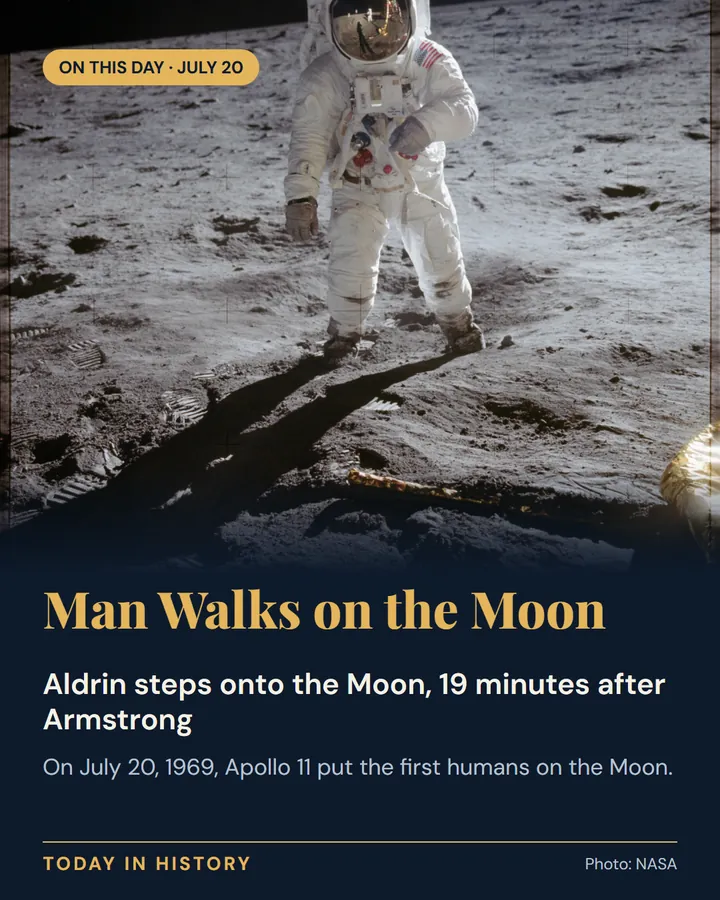
Six formats. Rendered the same way, every time.

Image · renders today

Single Poster

One strong image with a text band underneath.
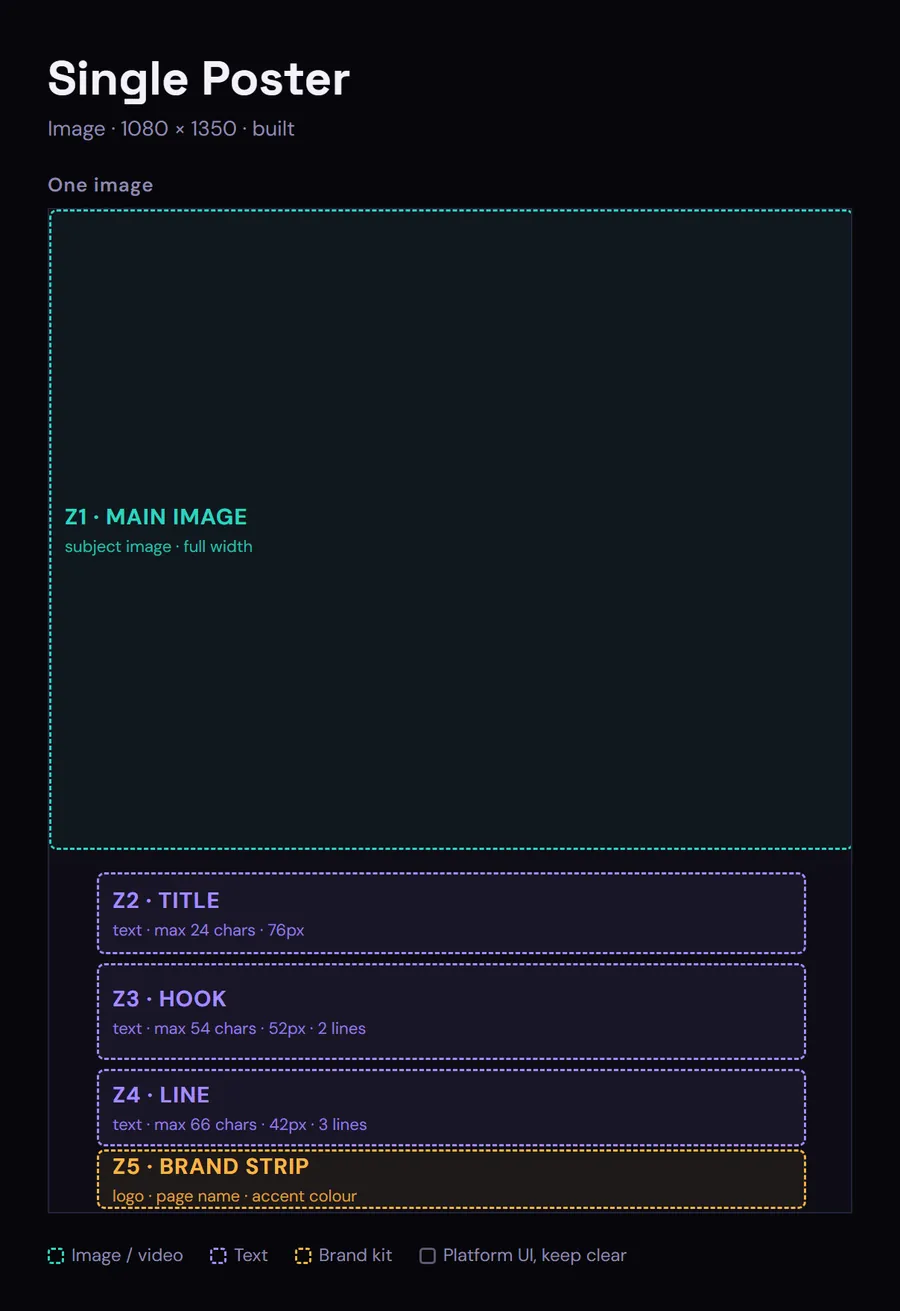
Zone plan of the Single Poster: the main image across the top, then the title, hook and line text zones, then the brand strip.
Used in the samples by history and facts pages, such as Today in History.
  • Main image: the subject, full width across the top.
  • Title: who or what, one line of up to 24 characters.
  • Hook: the angle, up to 54 characters on two lines.
  • Line: the opening sentence of the story, up to 66 characters.
  • Brand strip: your logo, page name and accent colour.

Image · coming next

Before / After

One image, stacked, with the before on top and the after underneath.
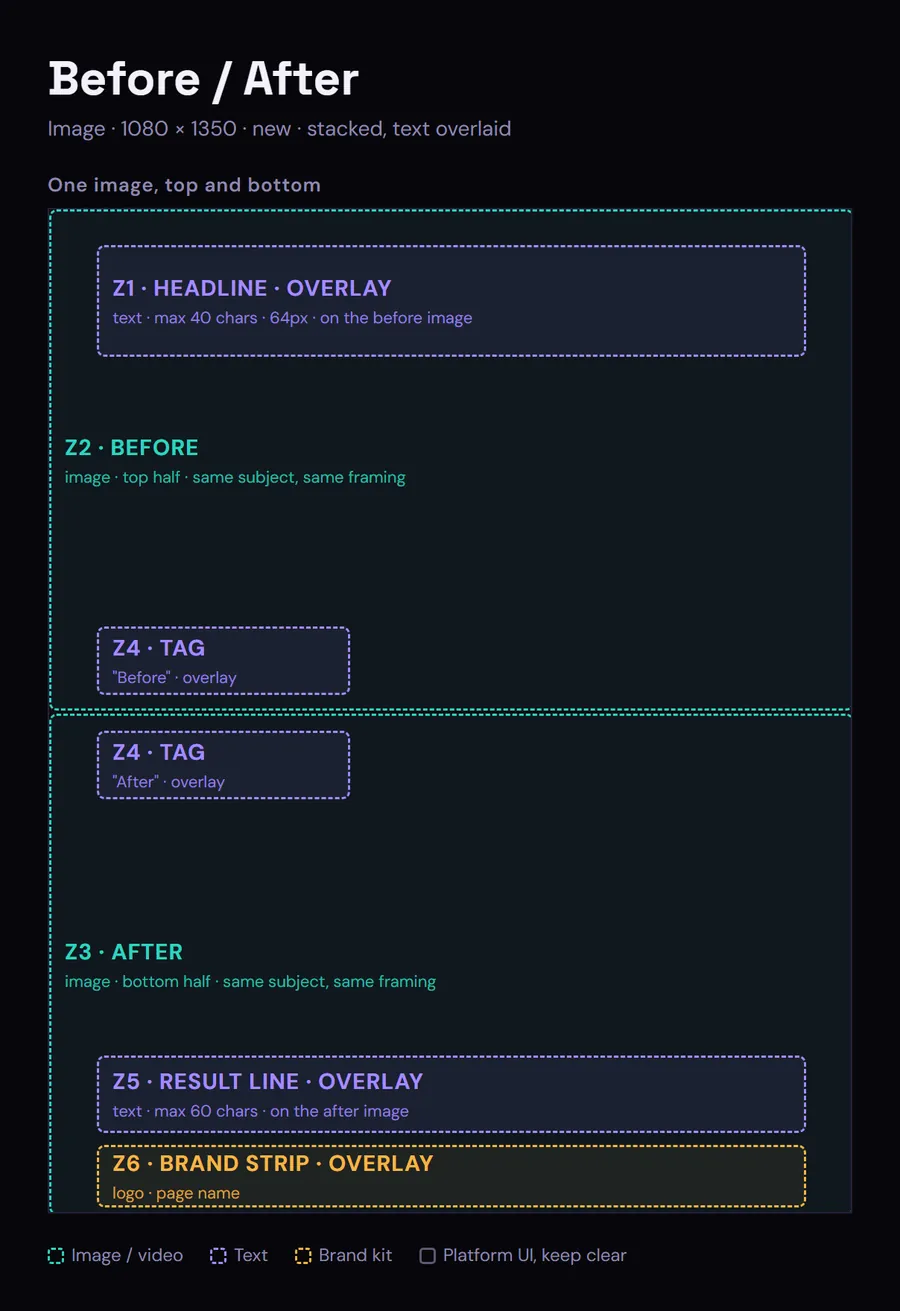
Zone plan of Before / After: the before image on top, the after image below a thin divider, with the headline, the Before and After tags, the result line and the brand strip laid over them.
Used in the samples by cosmetics pages, such as the Velvra lipstick.
  • Before: the start state, the top half of the image.
  • After: the result, the bottom half, with the same subject and framing.
  • Headline: what changed, over the before image.
  • Tags: the fixed words Before and After, either side of the divider.
  • Result line: the claim or detail, over the after image.
  • Brand strip: your brand kit along the bottom.

Reel · renders today

Top-5 Countdown

Five ranked clips, from number five to number one, in about a minute and a quarter.
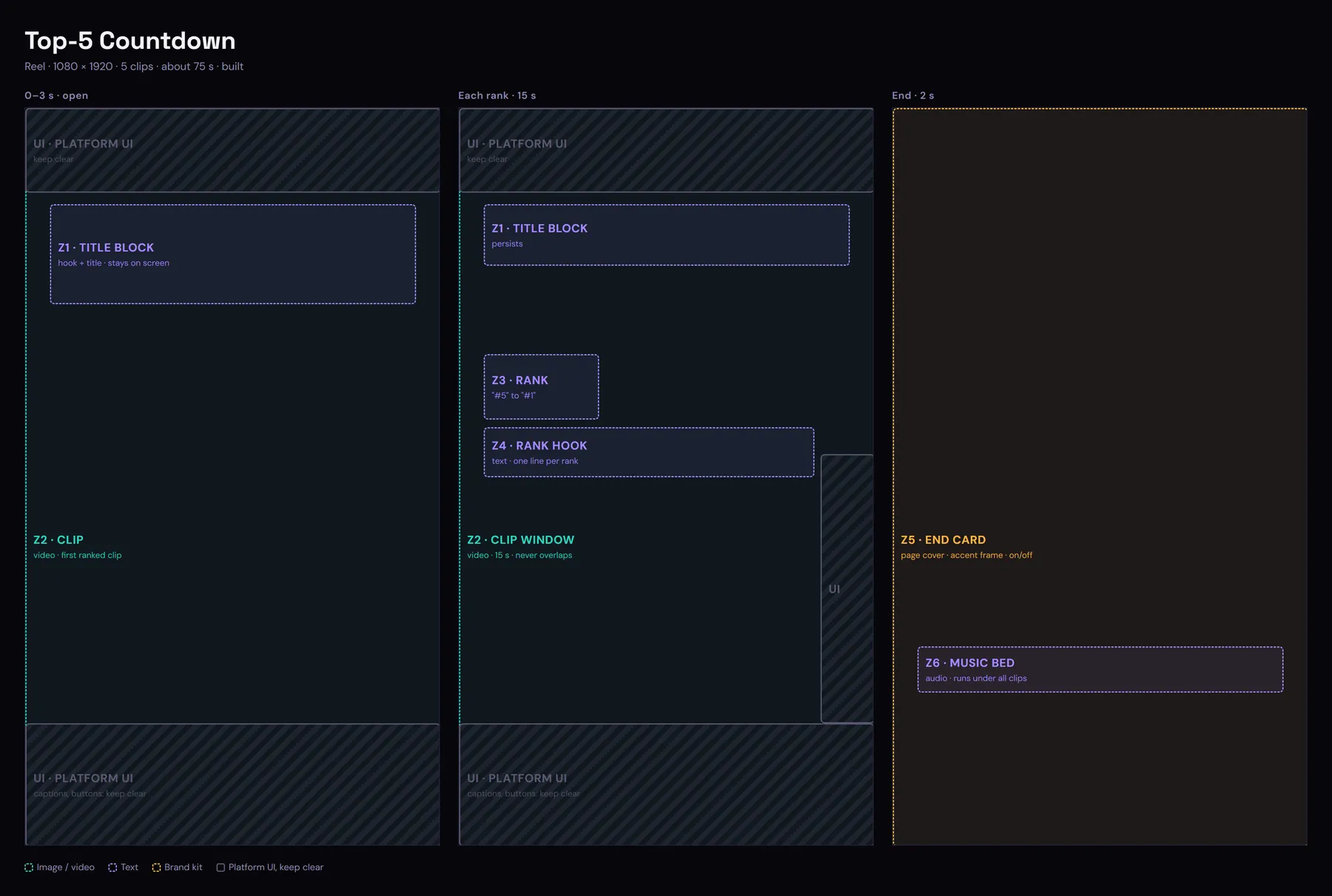
Zone plan of the Top-5 Countdown reel: the title block, the clip window, the rank and its one-line hook, and the end card, with the platform's own buttons kept clear.
Used in the samples by travel pages, such as Earth Bucket List.
  • Title block: the hook and the list title, on screen the whole reel.
  • Clip window: each ranked clip, about 15 seconds per rank.
  • Rank: the fixed labels, number five down to number one.
  • Rank hook: one line on why this one made the list.
  • End card: your brand cover for 2 seconds, and it can be switched off.
  • Music bed: one mood under every clip.

Reel · coming next

Presenter + Captions

A presenter talking to camera with captions burned in, for 15 to 45 seconds.
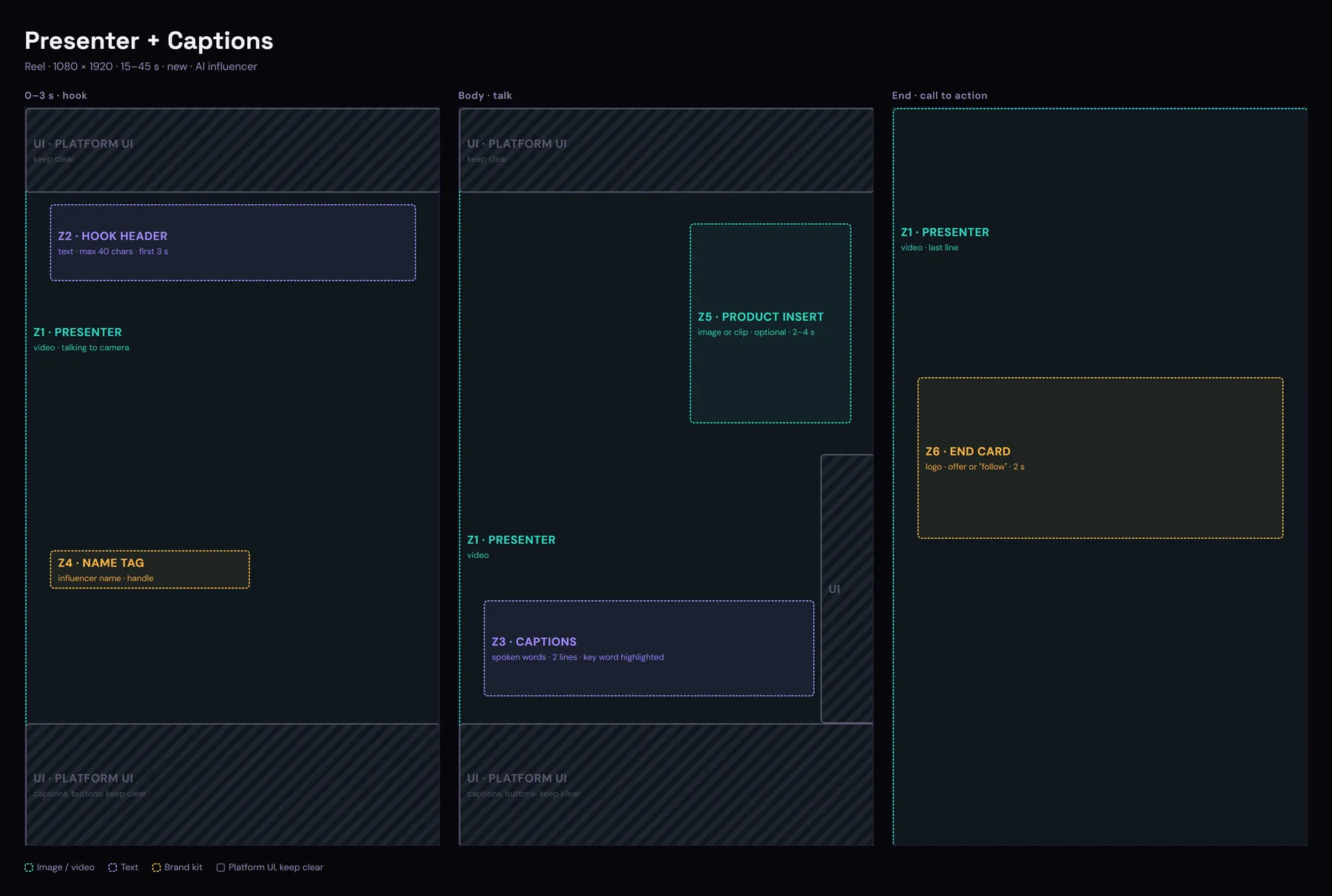
Zone plan of the Presenter + Captions reel: the presenter full frame, a hook header and name tag at the start, captions and an optional product insert in the body, and an end card.
Used in the samples by cosmetics pages, with Mira, a sample AI influencer.
  • Presenter: the person or AI influencer, talking to camera.
  • Hook header: the reason to watch, in the opening 3 seconds.
  • Captions: the spoken words, two lines at a time, key word highlighted.
  • Name tag: who is talking, name and handle, at the start.
  • Product insert: an optional image or clip of what they talk about.
  • End card: your logo and an offer or a follow ask, for 2 seconds.

Reel · coming next

Photo Story Slideshow

Up to ten photos with a slow pan and zoom, telling one story in 30 to 50 seconds.
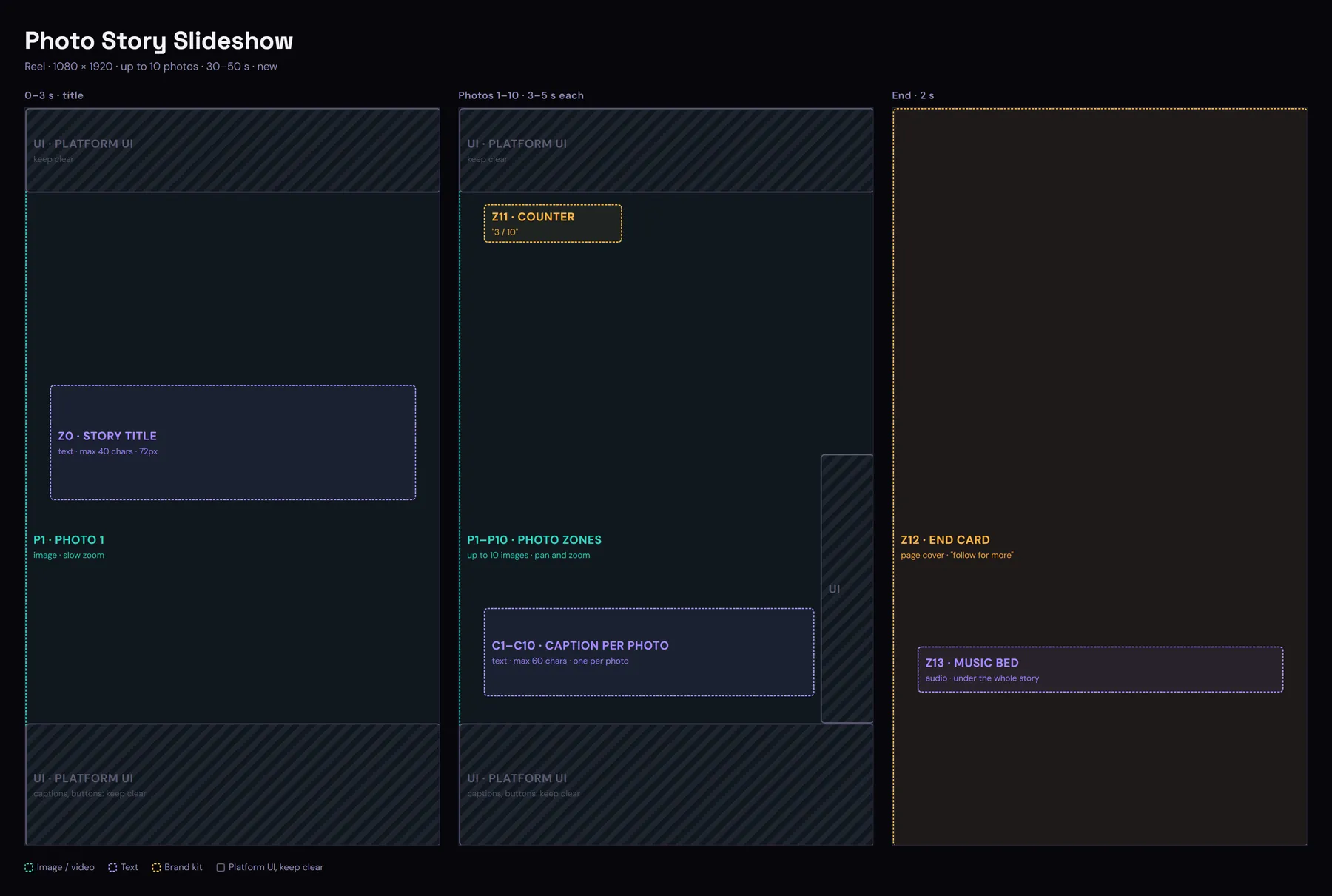
Zone plan of the Photo Story Slideshow reel: the story title over the opening photo, a caption and counter on every photo, and an end card.
Used in the samples by history and facts pages, such as Today in History.
  • Story title: the story in up to 40 characters, over the opening photo.
  • Photos: up to 10, each on screen for 3 to 5 seconds with a slow pan and zoom.
  • Captions: one line per photo on what it shows.
  • Counter: progress, such as 3 / 10.
  • End card: your brand cover and follow for more.
  • Music bed: one mood under the whole story.

Showcase

The formats at work, by industry.

Join the waitlist